Run Windows applications easily on macOS
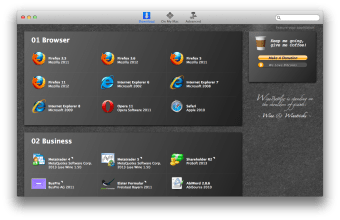
WineBottler was a free, third-party application that provided a graphical user interface (GUI) for Wine, an open-source compatibility layer, on macOS. Its goal was to facilitate running some Windows programs on Mac computers without requiring a licensed copy of Windows, a virtual machine, or dual-booting.
Top Recommended Alternative

Designed for simplicity and smooth operation
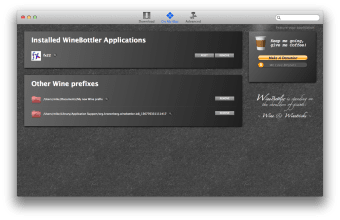
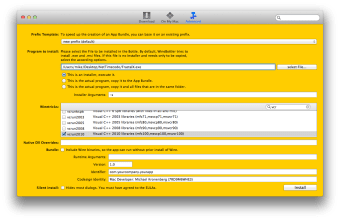
WineBottler functioned as a wrapper and configuration tool for Wine. Wine itself translates Windows API calls into POSIX-compliant calls that macOS can understand, allowing some .exe files to execute. WineBottler added features like the ability to bottle an application—bundling it with a specific Wine configuration into a standalone macOS.app file for easier launching. It provided a point-and-click interface for creating and managing these bottles and adjusting some Wine settings, which otherwise would require command-line knowledge.
Customizable experience tailored to user needs
The software offered several customization options that let users adjust their experience according to specific requirements. It included settings to adjust some performance and compatibility parameters, which were useful for those in need of more specific parameters when running the program.
Additionally, while it is not full virtualization, Wine does introduce a performance translation layer. Graphics-intensive applications, in particular, often suffered from lower frame rates, missing graphical features, and other performance penalties compared to running natively on Windows hardware.
A practical utility for running windows apps on Mac
By enabling the installation and management of Windows programs within macOS, WineBottler provides a useful utility for extending a Mac’s software capabilities. Although the text does not mention any drawbacks or performance limitations, the lack of detailed system specifications suggests additional research might be needed for users with specific technical concerns. Overall, WineBottler functions as a practical, user-friendly application for those needing Windows software on their Mac without switching environments.